Turn a hand-drawn sketch into a clean floor plan
- Hand sketch or graph paper
- 3 free AI sketch/photo conversions a day
- Uses written dimensions
- Your sketch shown underneath to check
- No sign-up
- PNG · PDF · SVG
Snap a photo of your sketch — on paper, a napkin or graph paper — and AI redraws it as a clean, editable floor plan. Written dimensions (12'×14', 3.6 m) are used; if there are none, sizes are estimated and you can type real ones. 3 free AI sketch/photo conversions a day, no sign-up. Export PNG, PDF or SVG; to-scale PDF and DXF on paid packs.
How it works
Photograph the sketch
Shoot from straight above in good light. Label rooms and write dimensions on walls if you know them.
AI redraws it
Rooms become clean rectangles with shared walls, doors and windows. Your sketch stays underneath so you can compare.
Fix and export
Drag any wall that's off, type exact sizes, then export PNG, PDF or SVG — or share a link.
What a good upload looks like
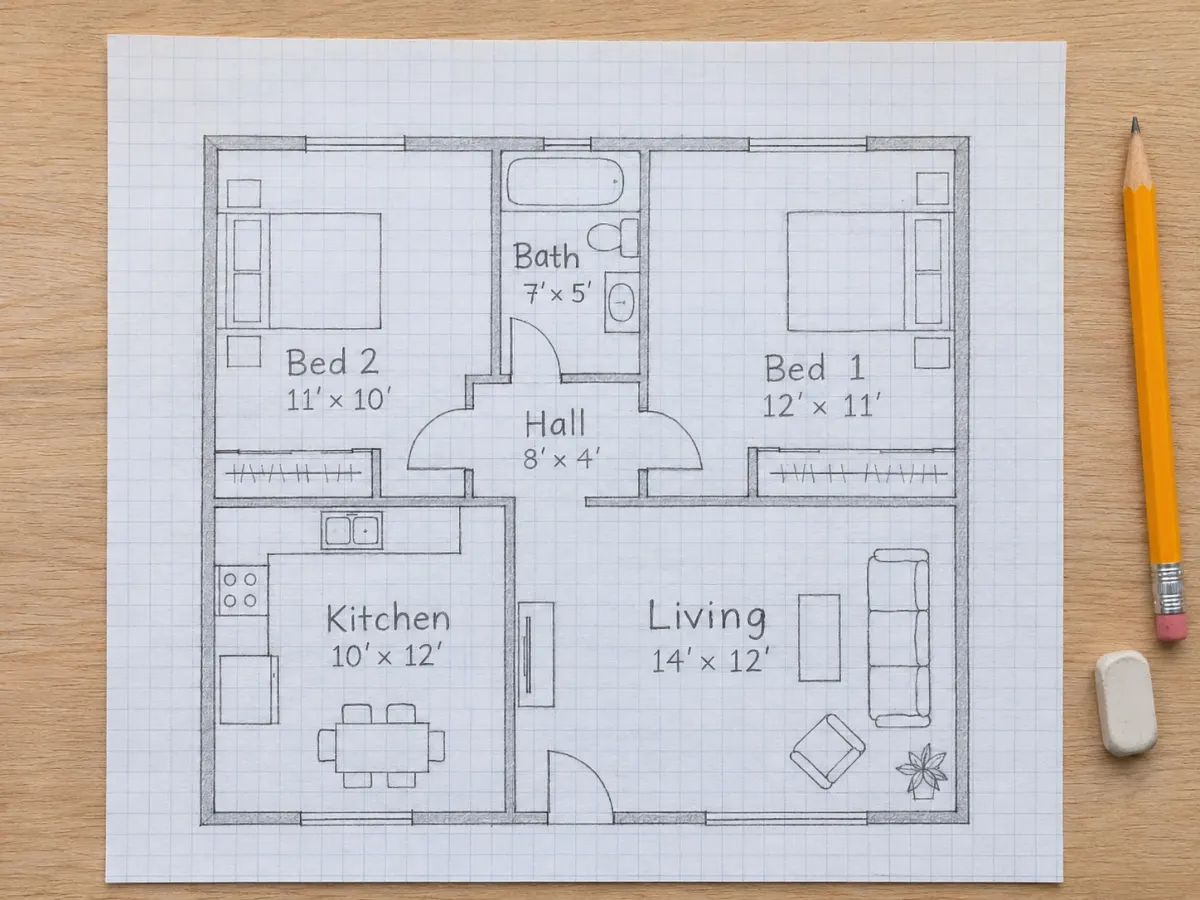
- Shot from straight above, whole page in frame
- Room names written in
- At least the outside dimensions
- Even light, no hard shadows
- Steep angle or cropped walls
- Two floors on one page
- Dark photo or heavy glare
Tips for the best conversion
- One floor per photo; crop away the table.
- Write room names (Kitchen, Bed 2) — labels help the AI more than drawing quality.
- Write at least the outside dimensions; the AI scales the rest.
- Straight lines aren't required — rooms are snapped to clean rectangles.
- If a room comes out wrong, fix it in the editor — it is faster than re-uploading.
Questions people ask
How do I convert a hand-drawn floor plan to digital?
Open the “Sketch / photo → plan” tab, upload a photo of the drawing and wait about 10 seconds. You get an editable digital plan with room sizes; 3 free AI sketch/photo conversions a day with no sign-up.
What if my sketch has no measurements?
The AI estimates sizes from typical rooms and tells you they are estimates. Click any room and type its real width and length; neighboring walls follow.
Is my sketch stored?
No. The image is sent once for conversion and not kept on our servers. The plan itself lives in your browser.
Is it really free?
Yes. Generating plans from a description, editing, the 3D preview and PNG/PDF/SVG export are free with no account. AI conversion of sketches and photos is free 3 times a day; after that, packs start at $4.90 for 15 conversions.
Do I need to create an account?
No. Your plan autosaves in your browser. Use “Share link” to open it on another device or send it to someone.